لم تُترجم هذه الصفحة بعد
تعرض هذه الصفحة النص الإنجليزي حتى تصدر ترجمتها.
VAT reports
The VAT Filing Report assembles what you need to file a VAT return: the VAT you charged, the VAT you paid, and the difference. It opens on the current quarter.
Who. Admin and Accountant.
What you see
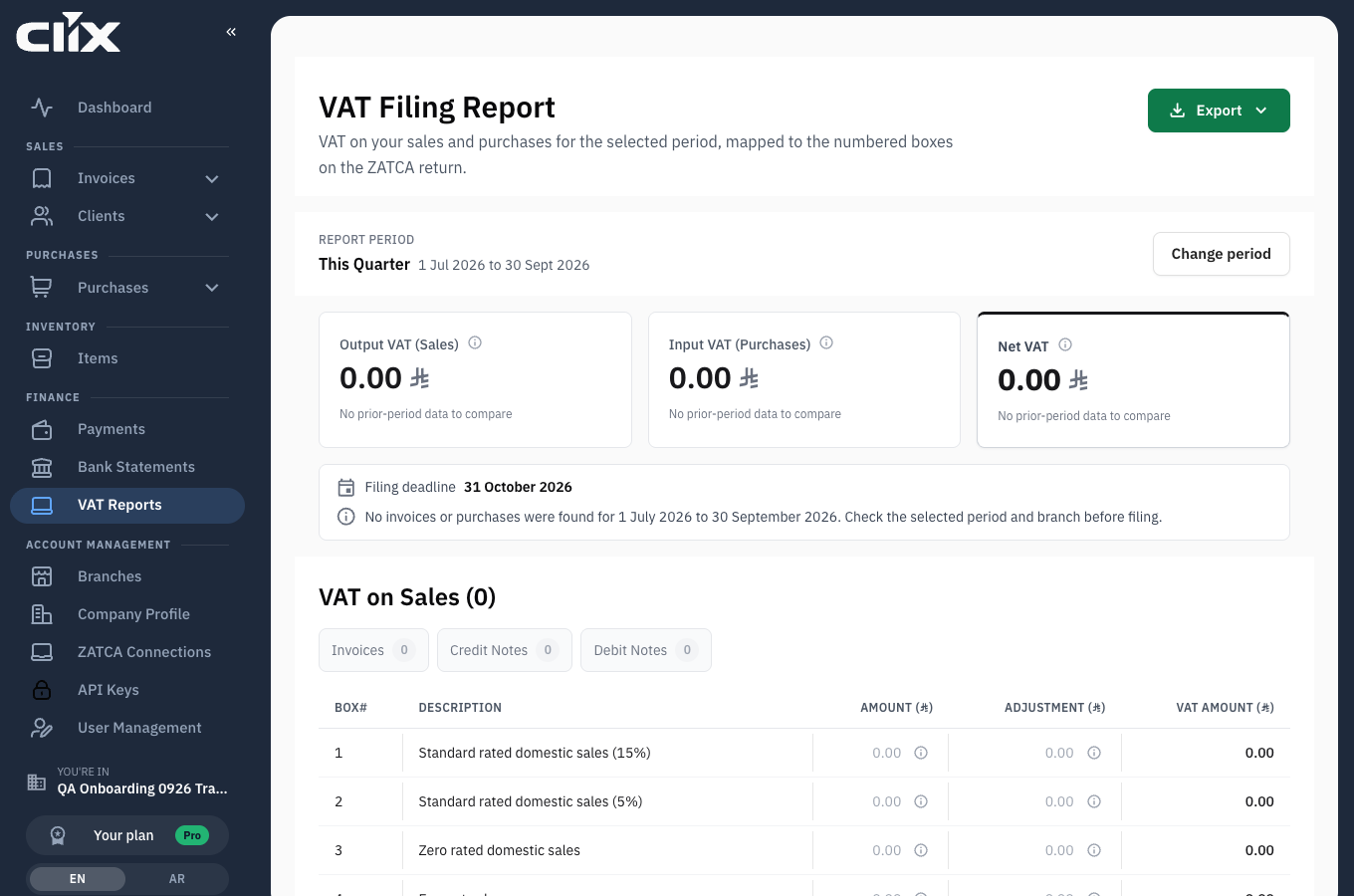
- Report period: the period the figures cover, This Quarter when the page opens. Change period picks another.
- Output VAT (Sales): VAT you charged customers on sales in the period.
- Input VAT (Purchases): VAT you paid suppliers on purchases. It is deducted from output VAT.
- Net VAT Due: output VAT minus input VAT. When input VAT is larger, the card reads Net VAT Reclaimable and "Amount to claim from ZATCA". Each card also compares the figure with the period before.
- Filing deadline: the last day of the month after the period ends. Next to it, "No issues found" or a button such as 1 to review.
- Export: download the report.
Below the cards come three tables: VAT on Sales, VAT on Purchases and Net VAT Due. The sales and purchases tables follow the return's box numbering, with Box#, Description, Amount, Adjustment and VAT Amount columns, so the lines sit in the same order as the form you are filling in. Above each table, Invoices, Credit Notes and Debit Notes show how many documents the period holds; each opens that list in a new tab.
Where the numbers come from
flowchart LR
    SI["Invoices<br/>Cleared or Reported by ZATCA"] --> OUT["Output VAT (Sales)"]
    SD["Debit Notes<br/>add VAT"] --> OUT
    SC["Credit Notes<br/>take VAT away"] --> OUT
    PI["Purchases<br/>invoices"] --> IN["Input VAT (Purchases)"]
    PD["Purchase debit notes<br/>add VAT"] --> IN
    PC["Purchase credit notes<br/>take VAT away"] --> IN
    OUT --> NET["Net VAT Due<br/>Output VAT minus Input VAT"]
IN --> NET- VAT on Sales counts the invoices, credit notes and debit notes whose issue date falls in the period and that ZATCA has Cleared or Reported. A draft, or an invoice ZATCA rejected, is not in it.
- Amount is the value before VAT of the period's invoices. Adjustment is debit notes minus credit notes. VAT Amount is the invoices' VAT, plus debit notes, minus credit notes.
- VAT on Purchases counts every purchase invoice, credit note and debit note you recorded with an issue date in the period. Purchases from a vendor in Saudi Arabia fill the domestic boxes. Purchases from a vendor abroad fill the two Imports subject to VAT accounted for through reverse charge mechanism boxes.
- Net VAT Due is the sales total minus the purchases total. In the last table, Total VAT due for current period is that figure, then Corrections from previous period and VAT credit carried forward, and last Net VAT due (or claim).
Tasks
Produce the report for a period
Who. Admin, Accountant.
- Open VAT Reports. The report for This Quarter loads.
- Click Change period.
- Click This Quarter, Last Quarter, This Month or Last Month. The report reloads at once.
- For any other dates, click Custom, set Start Date and End Date, and click Apply dates.
Result. The cards and the tables show the figures for the new period. The period is kept in the page address, so a link to the page opens the same period.
Export it
Who. Admin, Accountant.
- Click Export. It is available once the report has loaded.
- Choose PDF (English), PDF (Arabic), Excel (English) or Excel (Arabic).
Result. The PDF opens in your browser's print dialog; save it from there. The Excel file downloads as VAT_Filing_Report_<start>_<end>.xlsx. The export language does not depend on the language of the screen.
Check a figure you do not recognise
Who. Admin, Accountant.
- Click the button next to Filing deadline, for example 1 to review, if there is one. It lists boxes whose adjustment is more than 10% of the amount, and a sales or purchases total that is negative.
- Click About this amount or About this adjustment in a row to read what that box holds.
- Click Invoices, Credit Notes or Debit Notes above a table to open the documents for the period.
Work back to the documents:
- Output VAT comes from invoices and notes ZATCA accepted in the period. An invoice still in Drafts, or one ZATCA rejected, is not counted. See Invoices.
- Input VAT comes from the purchases you recorded. A missing purchase is the usual reason input VAT looks low. See Purchases and vendors.
- A document counts in the period of its issue date, not the date you recorded it.
Clix prepares, you file
The report is a preparation aid built from what you recorded. Clix does not file it with ZATCA for you, and it is only as complete as the purchases you entered. Check it against your own records before filing.