لم تُترجم هذه الصفحة بعد
تعرض هذه الصفحة النص الإنجليزي حتى تصدر ترجمتها.
Devices and certificates
A ZATCA connection (a device, in ZATCA's words) is your registration with ZATCA. Every invoice is signed through one, so nothing can be issued until at least one connection is Active. Found under ZATCA Connections.
Who. Everyone can open ZATCA Connections. Only an Admin sees Connect to ZATCA.
What you see
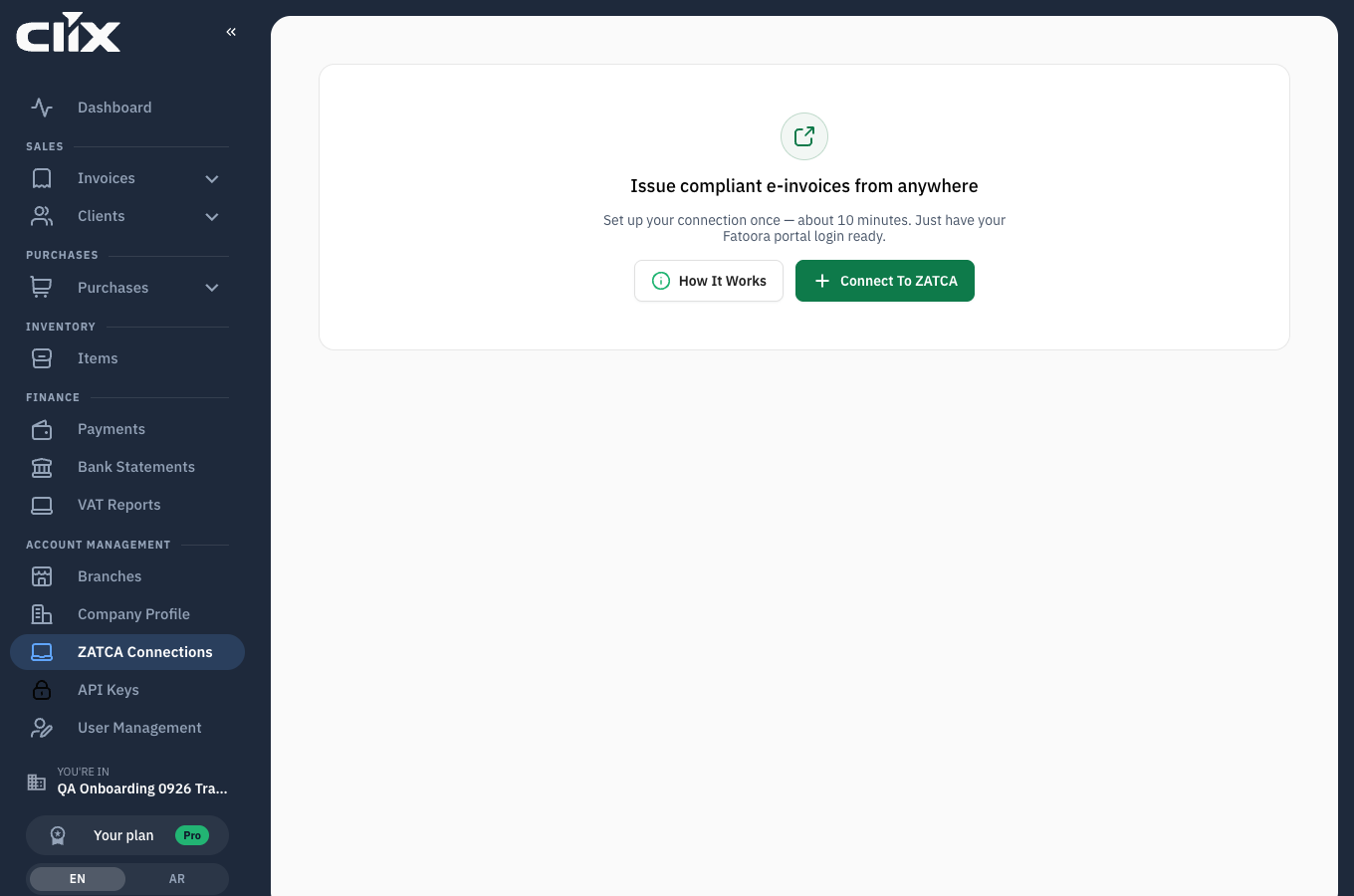
Before any connection exists, the screen reads "Issue compliant e-invoices from anywhere" and offers Connect to ZATCA and How it works.
Once connections exist, the Connections tab lists them.
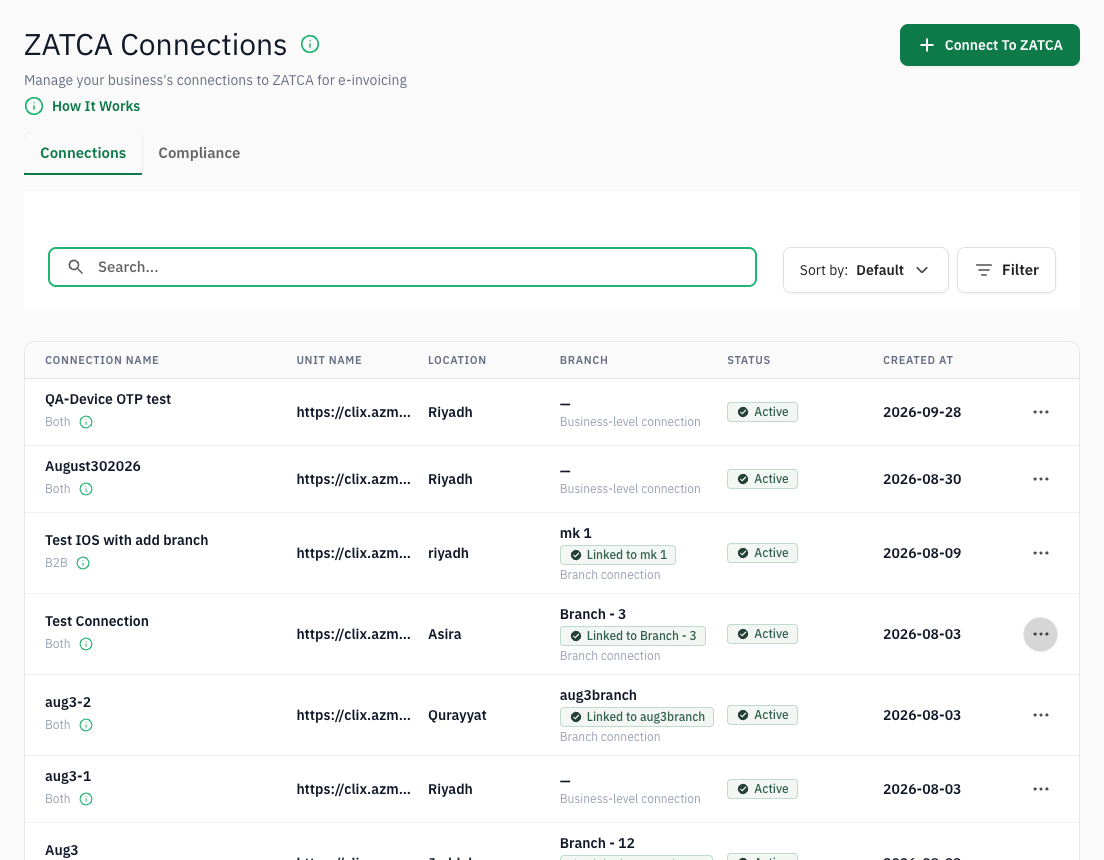
- Connection name, with the invoice type underneath: B2B, B2C or Both.
- Location: the city you entered, or the branch's city.
- Branch: the linked branch, or "Business-level connection" when there is none.
- Status: see what each status means.
- Created at, and the ⋯ menu, Manage connection.
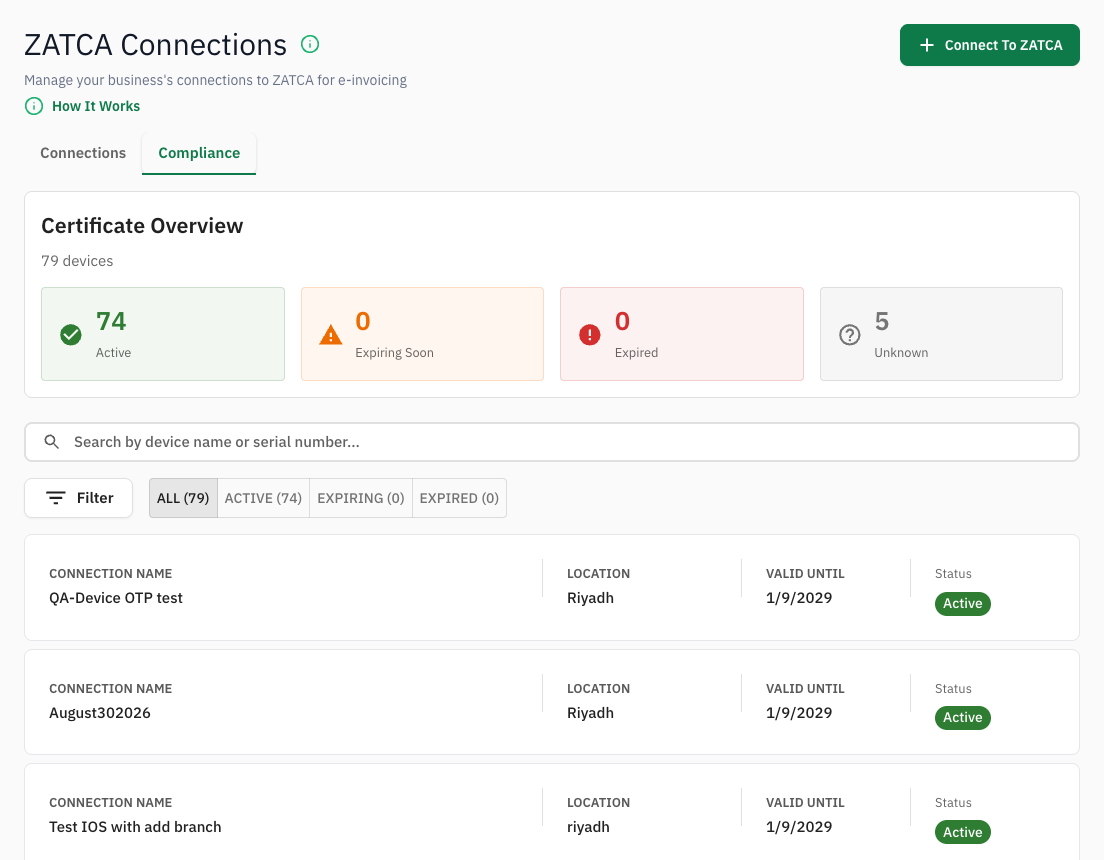
The Compliance tab shows the Certificate Overview: how many certificates are Active, Expiring Soon, Expired or Unknown, and each connection's Valid Until date.
What a connection is tied to
| Tied to | Why it matters |
|---|---|
| A branch, or none | A branch connection puts the branch's address on its invoices. A business-level connection uses the Company Profile address. |
| An invoice type | Businesses (standard, B2B), Consumers (simplified, B2C), or Both. If your organisation sells to only one kind of buyer, the choice is fixed to it. |
| A certificate | Issued by ZATCA when the connection is made, valid until a fixed date. |
Tasks
Connect to ZATCA
Why. Nothing can be invoiced without a connection.
Who. Admin.
- Open ZATCA Connections and click Connect to ZATCA.
- Enter a Connection name you will recognise, for example "Main store".
- Under Who will you invoice?, choose Businesses, Consumers or Both.
- Under Where is this connection?, choose Enter location and type the city, or choose Select a branch and pick the Branch.
- Click Continue.
- Enter the six-digit Fatoora code. See Get the Fatoora code.
- Click Connect.
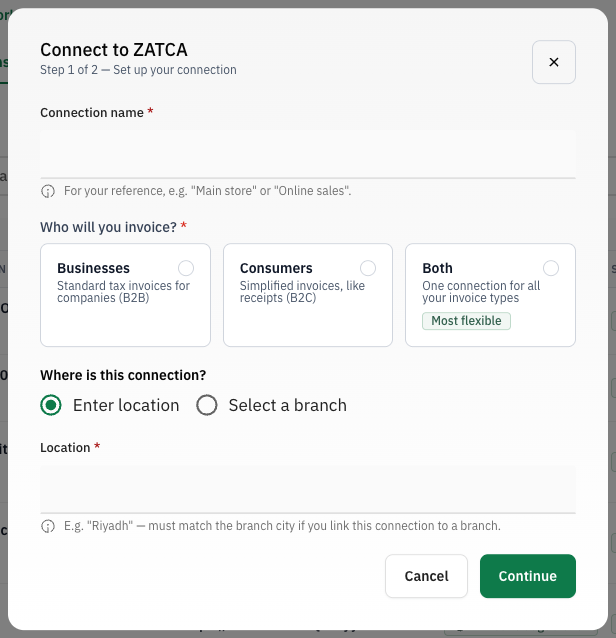
If your organisation is a member of a VAT group, step 1 also asks for Unit Name (Seller TIN): your own 10-digit Tax Identification Number.
Result. "Connecting to ZATCA — this usually takes a few minutes." Clix sends a signing request to ZATCA with your code and stores the certificate ZATCA issues. The connection goes through Setup in Progress and Pending Activation to Active. Once it reads Active, you can issue invoices through it.
flowchart LR
    A["Connect to ZATCA"] --> B["Set up your connection<br/>name, invoice type, location or branch"]
    B --> C["Link with ZATCA<br/>Fatoora code"]
    C --> D["Setup in Progress"]
    D --> E["Pending Activation"]
    E --> F["Active"]
Get the Fatoora code
Who. Whoever holds your ZATCA taxpayer login.
Step 2 of the dialog, Link with ZATCA, lists these steps and has an Open Fatoora Portal button.
- Open the Fatoora portal and sign in with your ZATCA credentials.
- Choose Onboard New Solution Unit.
- Generate a code.
- Enter it in Clix within one hour.
The code lasts one hour
"The 6-digit code expires 1 hour after you generate it." If connecting fails, generate a fresh code rather than reusing the old one.
See a connection's details
- On the connection's row, click the ⋯ button.
- Click More Details.
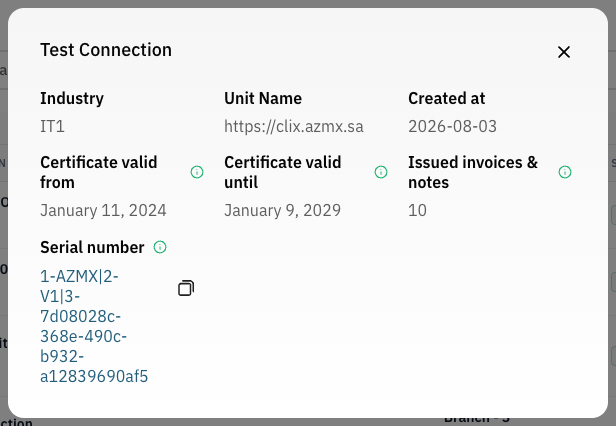
The panel shows Industry, Unit Name, Created at, Certificate valid from, Certificate valid until, Issued invoices & notes and the Serial number. Keep the serial number for support requests.
If a branch link failed, the same menu shows Retry link. It sends the branch you chose again.
Renew a certificate
Why. Certificates expire. An expired certificate stops invoicing through that connection.
Who. Admin.
Clix checks certificates every day and emails your Admins when one is within 30 days of expiry or has expired. One email lists every connection affected. The Compliance tab counts them under Expiring Soon and Expired.
- On the connection's row, click the ⋯ button.
- Click Renew certificate. It appears only when the certificate expires within 30 days or has expired.
Result. "Certificate renewal started — the status will update shortly." No Fatoora code is needed.
What an expired certificate breaks
Invoices cannot be signed or submitted through a connection whose certificate has expired. Issued invoices are unaffected: they stay cleared or reported. You cannot issue new ones through that connection until it is renewed.
Related
- Connect a device to ZATCA: the guided first-time walkthrough
- Certificate and device problems
- Devices, certificates and branches
- Branches