لم تُترجم هذه الصفحة بعد
تعرض هذه الصفحة النص الإنجليزي حتى تصدر ترجمتها.
Reconcile your bank
Reconciling means explaining every line on your bank statement. In Clix it is also the quickest way to record a bank transfer: one click on a statement line records the payment, lowers the invoice's balance and ticks the line off.
Who. Admin, Accountant and Create invoice. Create invoice users see all statements together and cannot pick one.
Before you start. Upload the month's statement. See Bank statements.
What one click changes
flowchart LR
    L["<b>Bank line</b><br/>+ 34,500.00<br/>TRF AL NOOR INV 159-8"] -->|"click Link on<br/>the suggestion"| P["<b>Payment recorded</b><br/>34,500.00, Bank Transfer,<br/>dated as the line"]
    P --> I["<b>Invoice 159-8</b><br/>balance 0.00<br/>status Paid"]
    P --> M["<b>Bank line</b><br/>Matched"]
M --> O["<b>Open</b> count<br/>goes down by one"]| After you click | What changes |
|---|---|
| Link | A payment is recorded on that invoice or bill: the smaller of the line's amount and the document's balance, dated the line's date, method Bank Transfer. The document's balance falls and its status moves to Partially Paid or Paid. The line shows Matched, and the payment shows matched on All payments. |
| Not an invoice | The line is closed with a reason. No payment is recorded, and no invoice changes. You can reopen the line later. |
| Reverse payment (on All payments) | The payment stays on the list, struck through, and stops counting. The document's balance goes back up. If the payment came from a bank line, that line returns to Open. |
What gets recorded when you click Link
Link records an ordinary payment — the same kind Record payment creates — filled in from the line and the document:
| Field | Filled with |
|---|---|
| Document | The sales invoice or purchase bill you linked |
| Direction | The line's: money in or money out |
| Amount | The smaller of the line's amount and the document's balance |
| Date | The bank line's date |
| Method | Bank Transfer |
| Bank line | The line itself, so the two stay tied together |
Money in is offered your sales invoices; money out is offered your bills and refunds on credit notes. For a document in another currency, Clix converts the line's SAR amount into that currency and rounds down to the cent, so the payment never comes to more than the line.
The tax document never changes. An invoice's XML, totals and VAT stay exactly as ZATCA saw them; reconciling moves only the payment status and the balance owed. See Money, payments and due dates.
Work through a statement
- Open Payments and click the Bank reconciliation tab. The counts at the top read Open, Matched and Not invoice.
- Choose the Statement, or leave All statements.
-
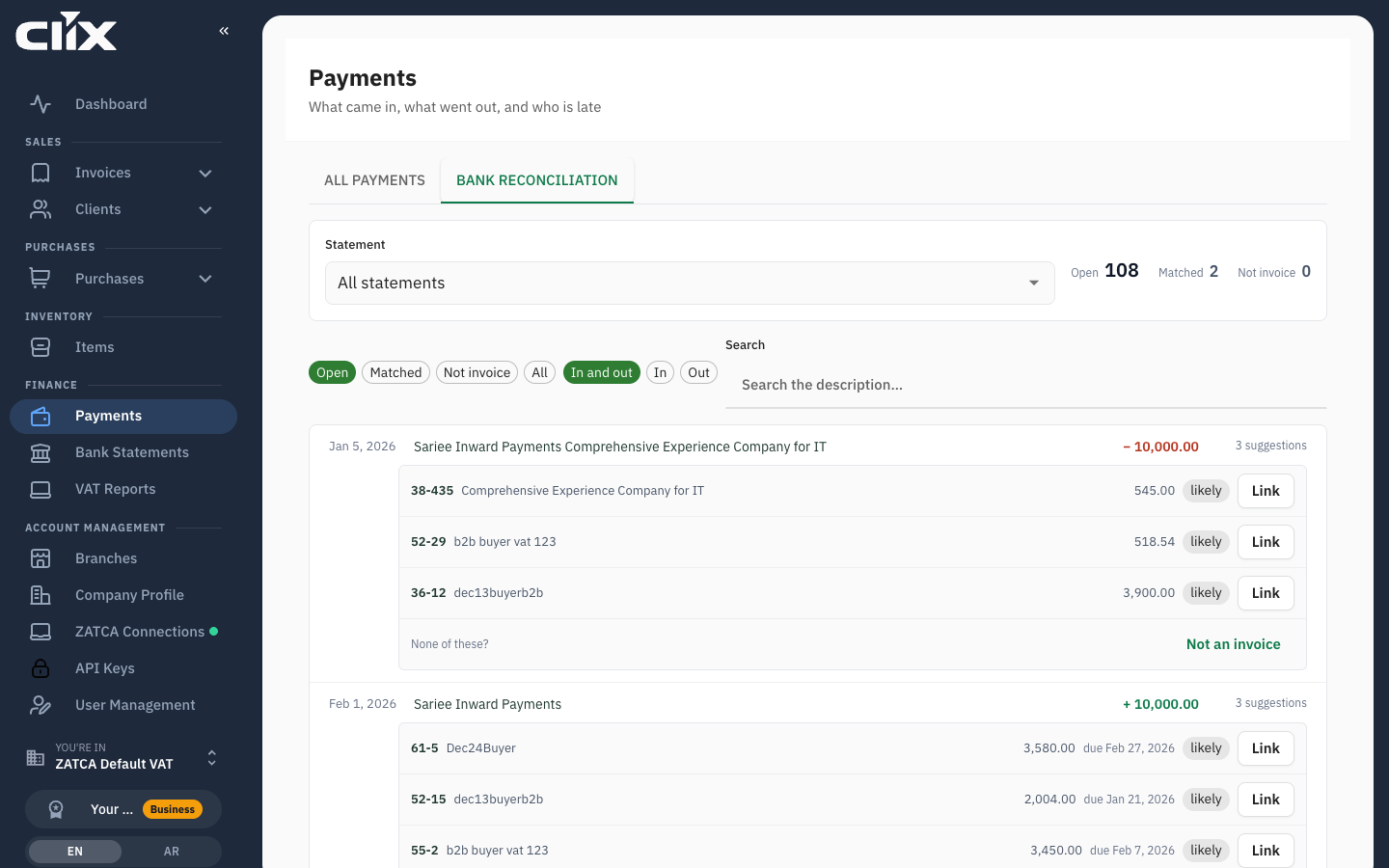
Leave the filter on Open. Each open line shows up to three suggested invoices or bills underneath, each marked exact or likely.
-
Compare the suggestion's client and amount with the line. Click Link on the one that fits.
- If the amounts differ, Clix asks "Link part of this line?". Click Link anyway if that is right.
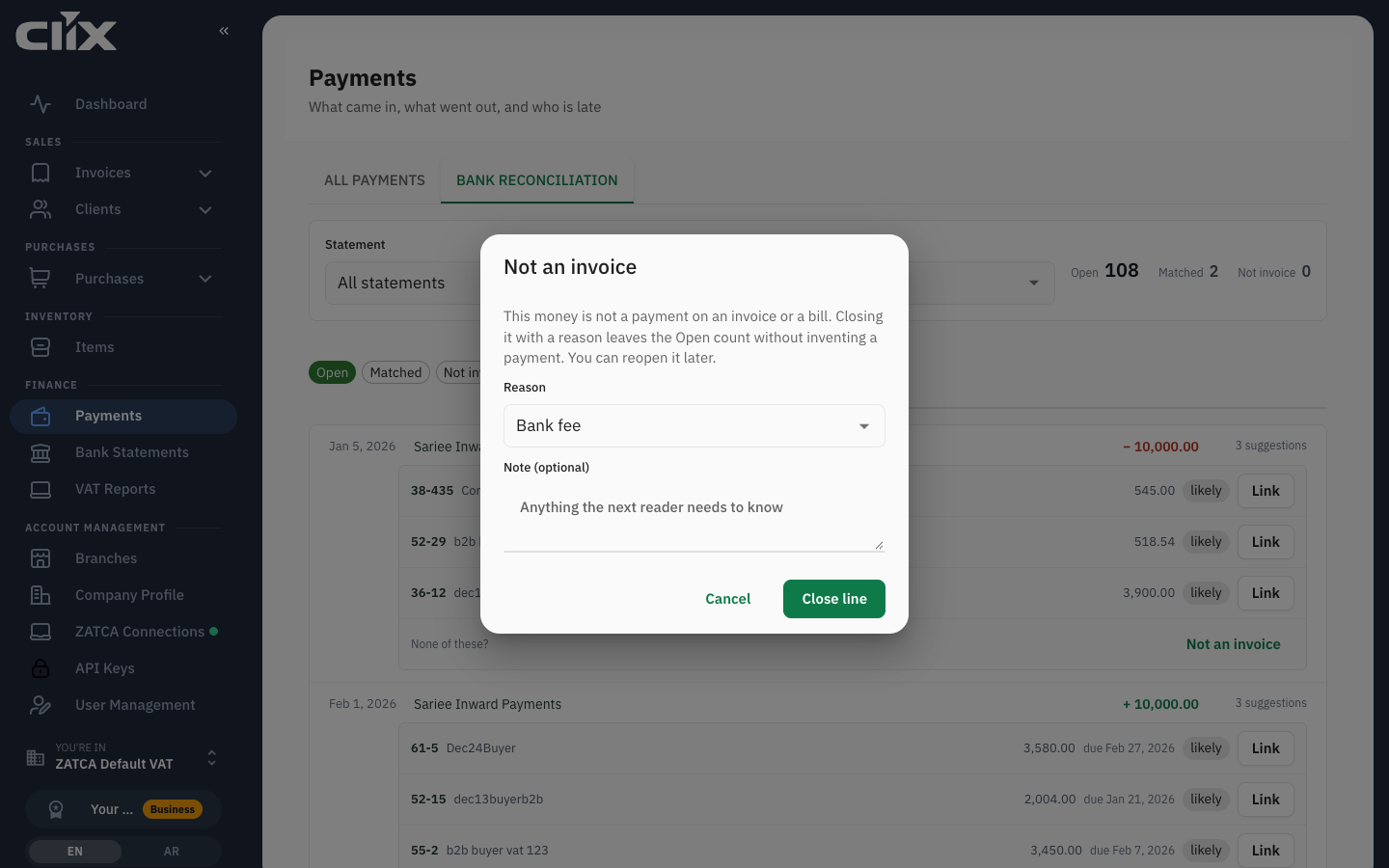
- If the line is not invoice money — a bank fee, salary, a tax payment, a transfer between your own accounts, a loan — click Not an invoice.
-
Choose the Reason, add a Note (optional), and click Close line.
-
Repeat until Open reads 0. The tab then reads "Every line is explained."
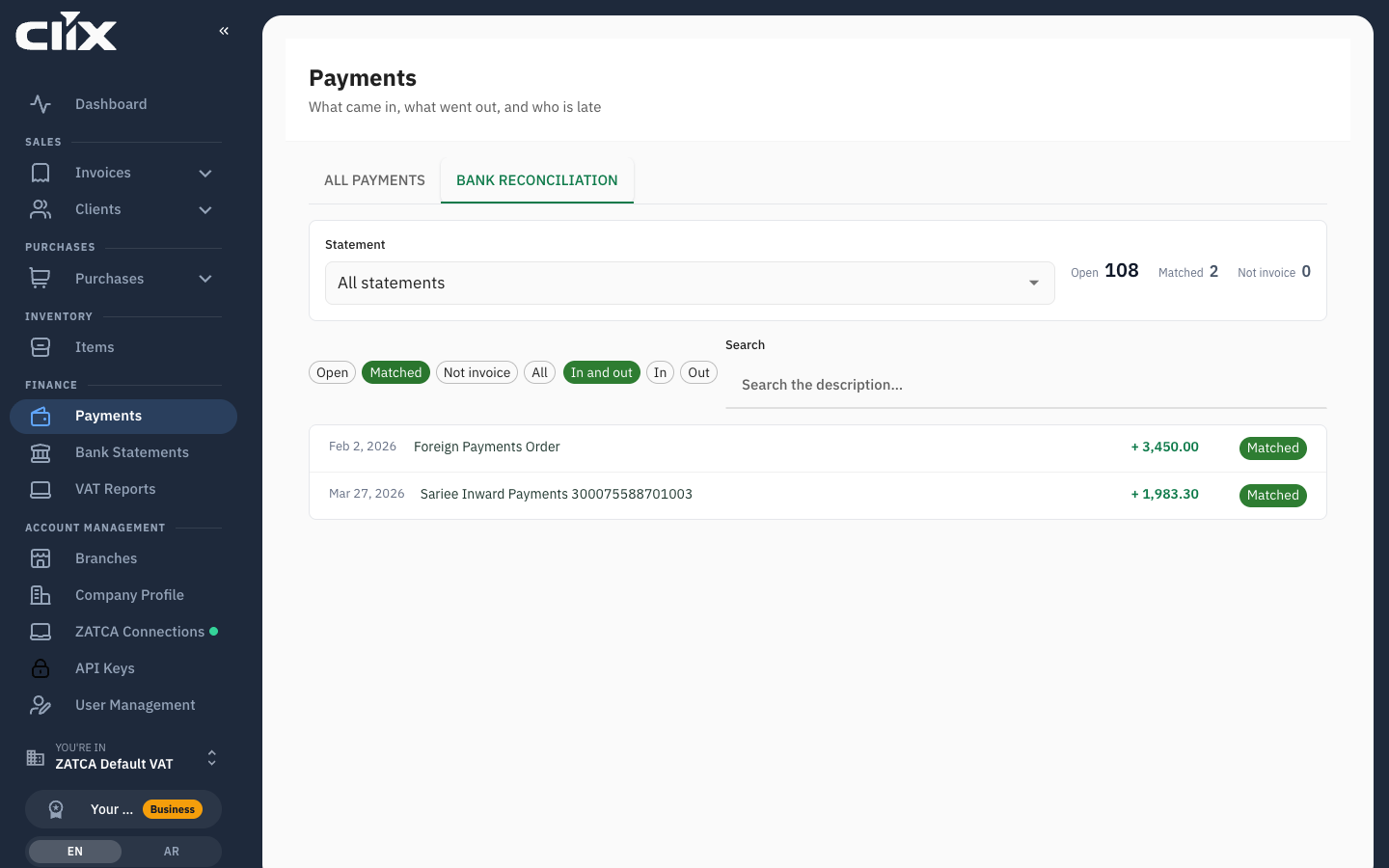
Result. Click Matched to see the lines you linked, and Not invoice to see the ones you closed.
How Clix scores suggestions is in Payments.
Three examples
Paid in full. Invoice 159-8 to Al-Noor Trading is 34,500.00. The statement shows + 34,500.00 TRF AL NOOR TRADING INV 159-8. The amount equals the balance and the text carries the invoice number, so 159-8 is suggested as exact. Link records 34,500.00 and the invoice reads Paid.
Paid in two parts. The first transfer is 20,000.00. Link records 20,000.00; the invoice reads Partially Paid with 14,500.00 left. Next month a line of 14,500.00 arrives. It equals the balance, so the invoice is suggested as exact again. Link records the rest and the invoice reads Paid.
A bank charge. The statement shows - 25.00 SERVICE CHARGE. No invoice or bill fits. Click Not an invoice, choose Bank fee, and close the line. Nothing is recorded against any document.
Record by hand, or reconcile?
For money that goes through the bank, reconcile. One click both records the payment and ties it to the bank line that proves it.
Record by hand with Record payment only for money that will never appear on a statement you upload, such as cash.
Do not do both for the same money
If you record a transfer by hand first, the invoice has no balance left, so the bank line gets no suggestion — and the app cannot attach a line to a payment that already exists. The line stays Open.
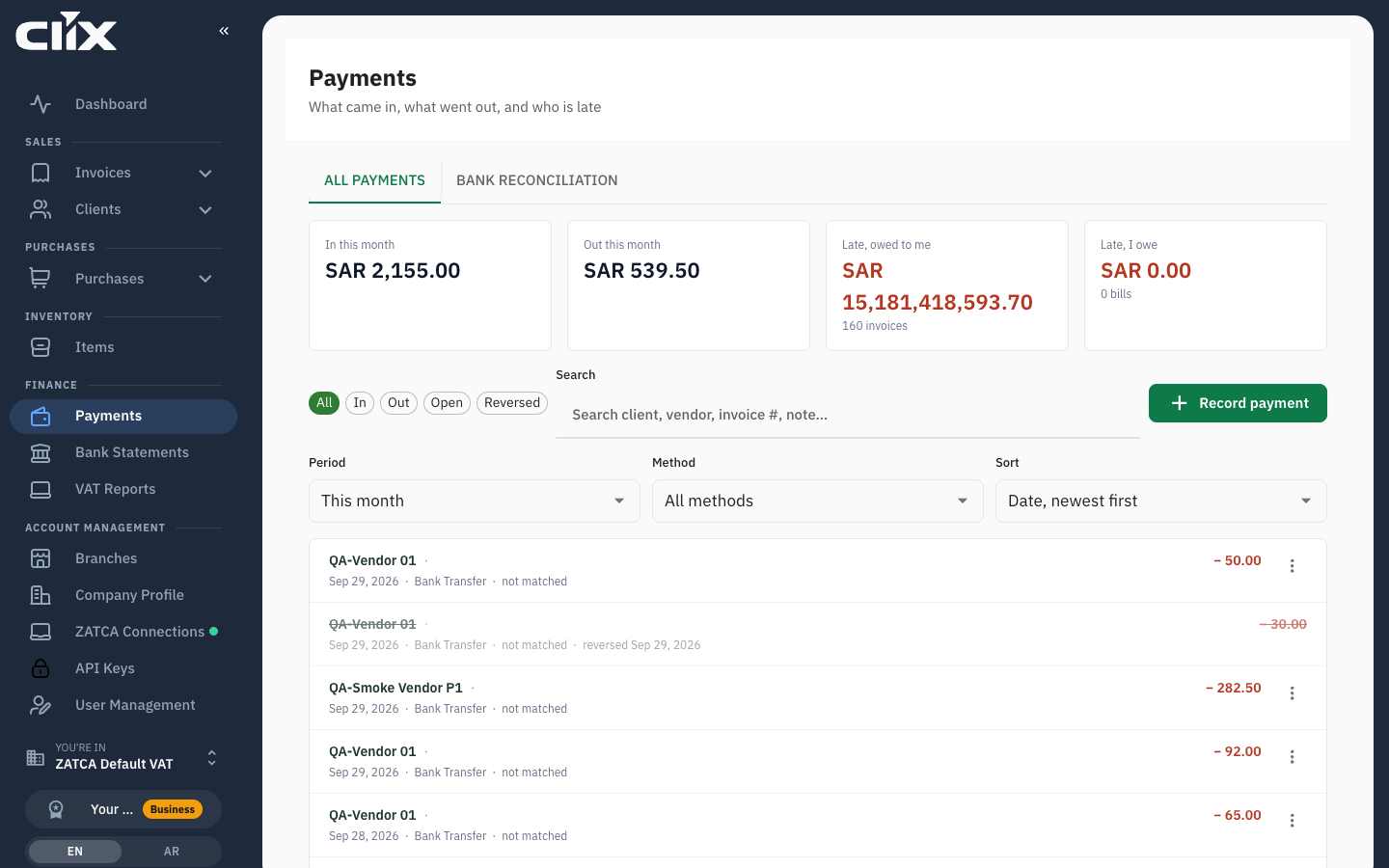
To fix it: on All payments, open the hand-recorded payment's ⋮ menu and click Reverse payment. Then go back to the line and click Link. The payment is recorded again, this time tied to the bank line.
Linked the wrong document?
- On All payments, find the payment. It shows matched.
- Open its ⋮ menu and click Reverse payment. Give a reason.
- The bank line is back under Open. Click Link on the right document.
A reversed payment stays on the list for the record; it no longer counts toward any balance.
Related
- Bank statements — uploading and mapping the file
- Payments — recording, reversing and receipts
- Money, payments and due dates
- Invoices → Match an invoice to a bank payment — starting from one invoice instead of the statement