VAT reports
The VAT Filing Report assembles what you need to file a VAT return: what you charged, what you paid, and the difference.
Who. Admin and Accountant.
What you see
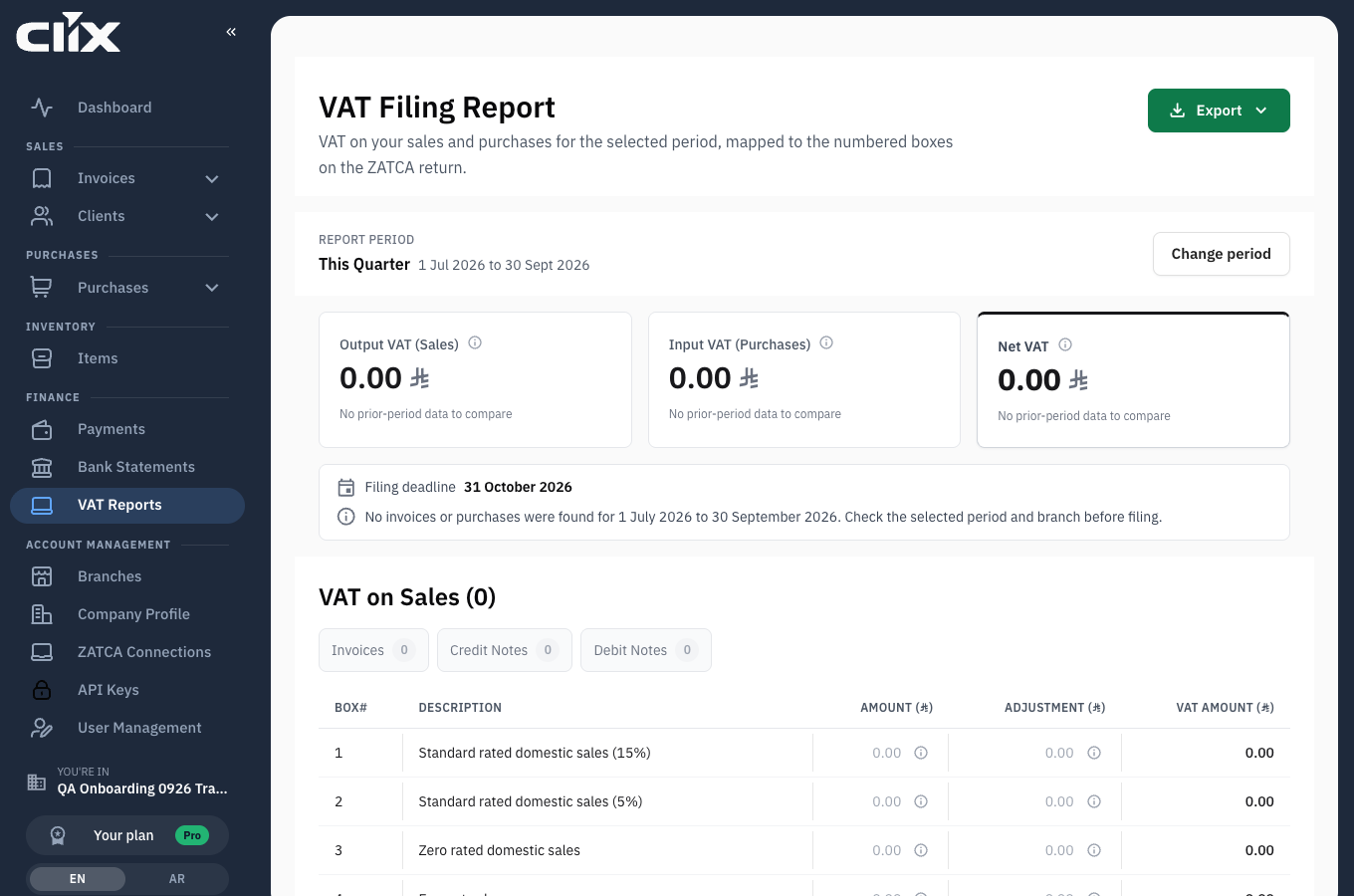
- Report period: the period the figures cover. Change period picks another.
- Output VAT (Sales): VAT you charged your customers.
- Input VAT (Purchases): VAT you were charged by suppliers.
- Net VAT: the difference — what you owe, or what you reclaim.
- Export: download the report.
The tables follow the return's own box numbering, with Box #, Description, Amount, Adjustment and VAT amount columns — so the lines sit in the same order as the form you are filling in.
Tasks
Produce the report for a period
Who. Admin, Accountant.
- Open VAT Reports.
- Click Change period and choose the period you are filing for.
- Read the three blocks: Output VAT, Input VAT, Net VAT Due.
Result. The figures are calculated from the invoices and purchases recorded in Clix for that period.
Export it
Who. Admin, Accountant.
Click Export and keep the file with your filing records.
Check a figure you do not recognise
Who. Admin, Accountant.
Work back to the documents:
- Output VAT comes from invoices you issued in the period — see Invoices.
- Input VAT comes from purchase invoices you recorded — see Purchases and vendors.
- A missing purchase is the usual reason input VAT looks low.
Clix prepares, you file
The report is a preparation aid built from what you recorded. It is not submitted to ZATCA for you, and it is only as complete as the purchases you entered. Check it against your own records before filing.