7. Choose a plan
At the end of this step your organisation is on the plan that fits its volume. Only an Admin can change the plan.
What the plans differ on
| Free | Pro | Business | |
|---|---|---|---|
| Invoices a month | 15 | 200 | Unlimited |
| REST API access for your own systems | — | — | yes |
| Support | Priority email | Dedicated + SLA | |
| Price | free | SAR 100 + VAT / month | SAR 500 + VAT / month |
Those three rows are the entire difference. ZATCA compliance is identical on every plan, and so is the rest of the product — credit and debit notes, bank statement import, VAT reports, Arabic, team roles. Of the 37 features on the pricing page, 34 are the same across all three.
Annual billing is SAR 1,000 for Pro and SAR 5,000 for Business, saving about 17%.
See Plans, limits and fair use for what the invoice count includes.
What you see
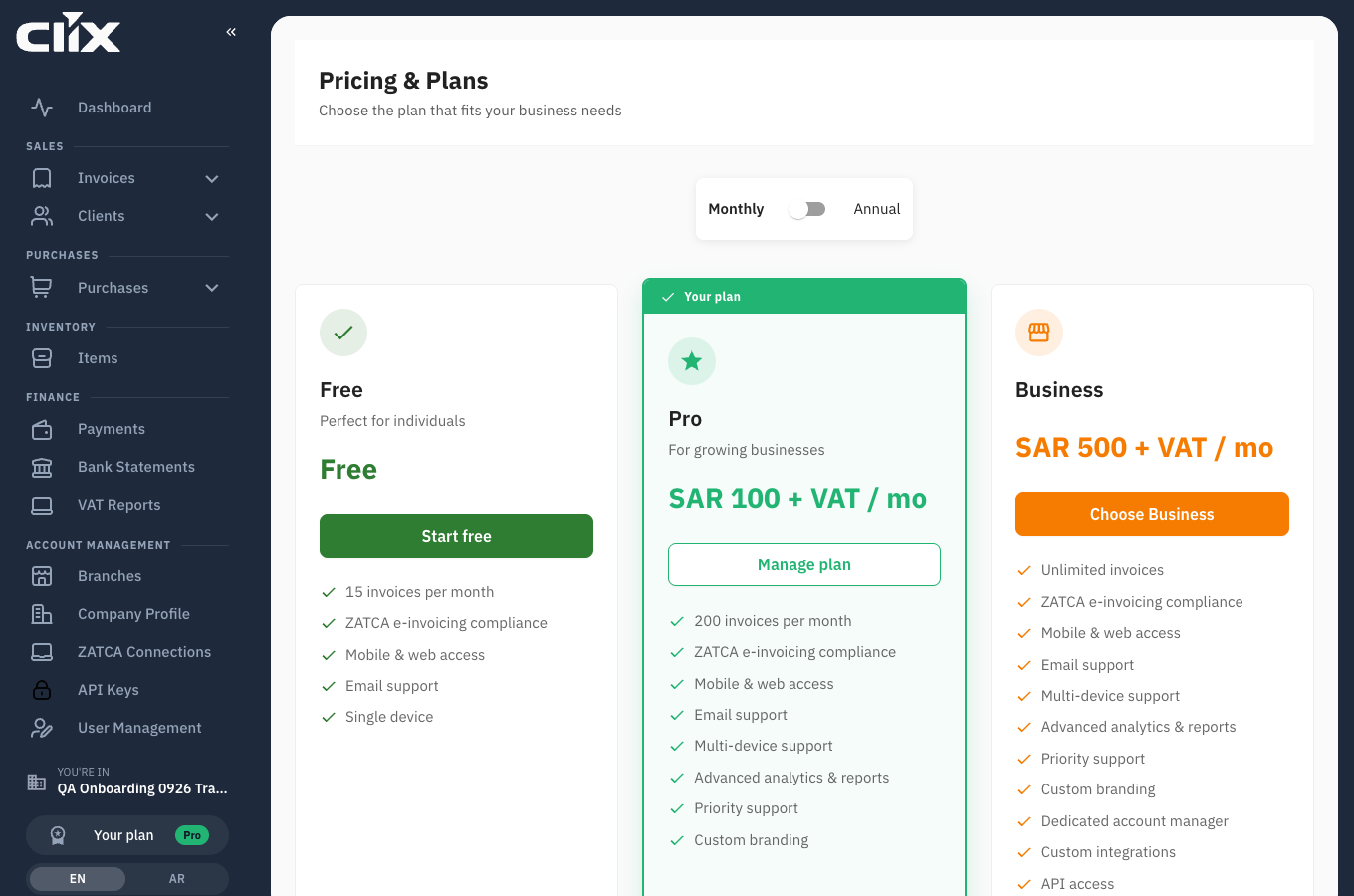
- Monthly / Annual: the switch above the cards. Annual prices replace monthly ones and a "Save 17%" badge appears.
- The three cards: Pro is marked Most Popular. Your current plan is badged once you have one.
- Feature Comparison: the full 37-row table below the cards, with a tick or a dash per plan.
Tasks
Start on the Free plan
Why. Fifteen invoices a month, fully ZATCA-compliant, with no payment and no expiry.
Who. Admin.
- On the Pricing page, click Start free.
- Confirm in the dialog.
Result. Your organisation is on Free and you continue to the next setup step.
It is a plan, not a trial
The confirmation dialog is titled "Start your free trial". The Free plan does not expire and does not become paid — the wording is being corrected.
Choose Pro or Business and pay
Why. You need more than 15 invoices a month, or the REST API.
Who. Admin.
- Choose Monthly or Annual with the switch.
- Click Choose Pro or Choose Business.
- Read the dialog. It states the total including VAT and the date the transfer is due.
- Click Confirm.
- The dialog now shows the bank details. Copy the total, the IBAN and the reference.
- Make the transfer from your bank, putting the reference in the transfer note.
- Reply to the bank-details email with the receipt, or send it to support@goclix.ai.
Result. The plan is active immediately — you do not wait for the transfer to clear. You receive an email with the same bank details and reference.
Use the reference
The reference looks like CLX-5db4a43c. It is how your transfer is matched to your organisation. A transfer without it takes longer to clear and may need a follow-up.
If the transfer does not arrive. You have seven days. If nothing reaches the account by then, the organisation returns to Free. Nothing is deleted, and the plan comes back as soon as the transfer arrives.
Change plan later
Who. Admin.
Go to Subscription from the plan chip in the sidebar, then Upgrade plan. See Subscription and billing.
In Arabic
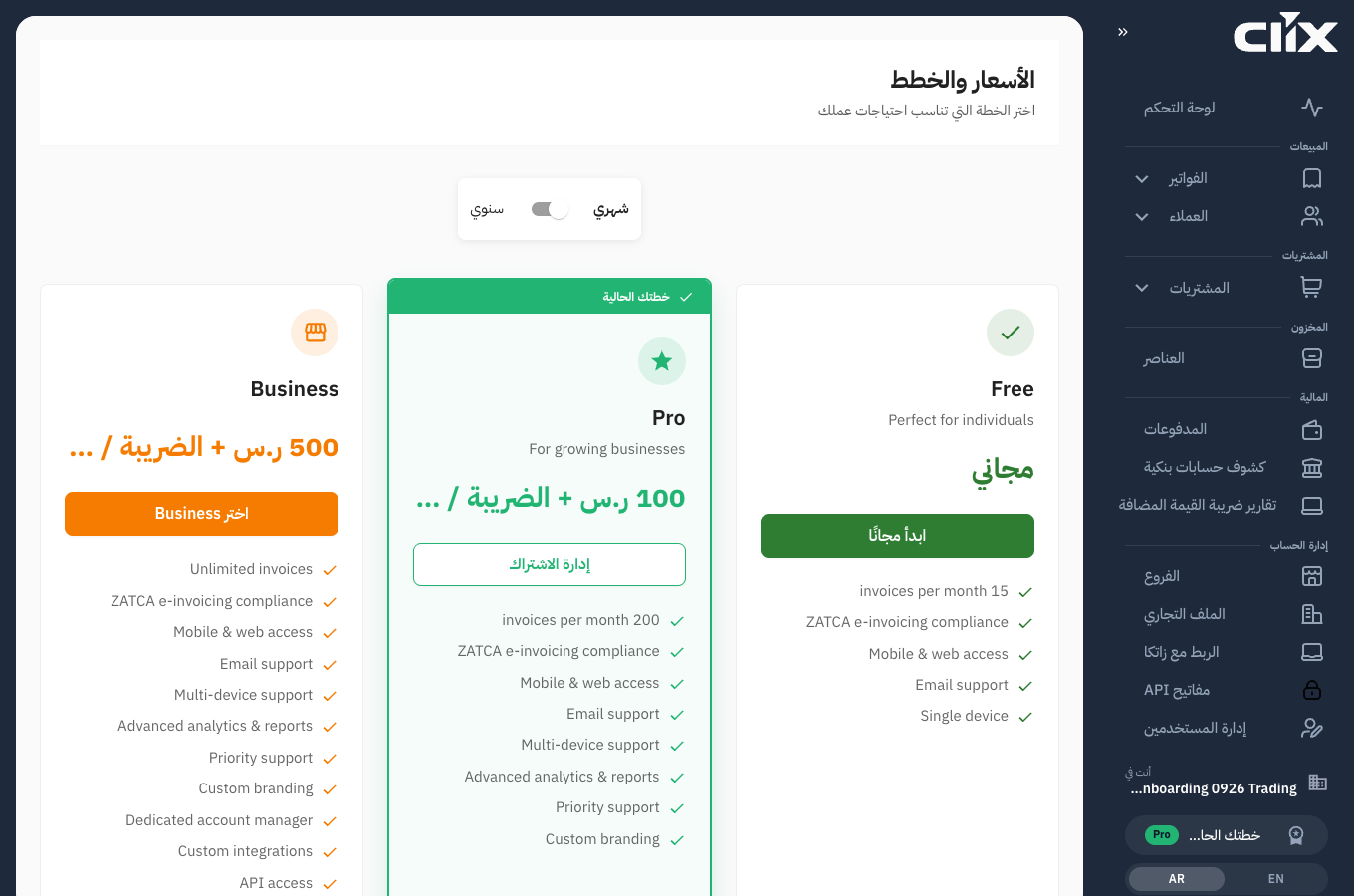
The pricing page works in Arabic with full right-to-left layout, and prices render as 100 ر.س + الضريبة / شهر.
Known gap
The feature bullets on the plan cards are still shown in English while the rest of the page is translated. The full comparison table below the cards is translated — use it if you are reading in Arabic.