Organisation profile and multiple organisations
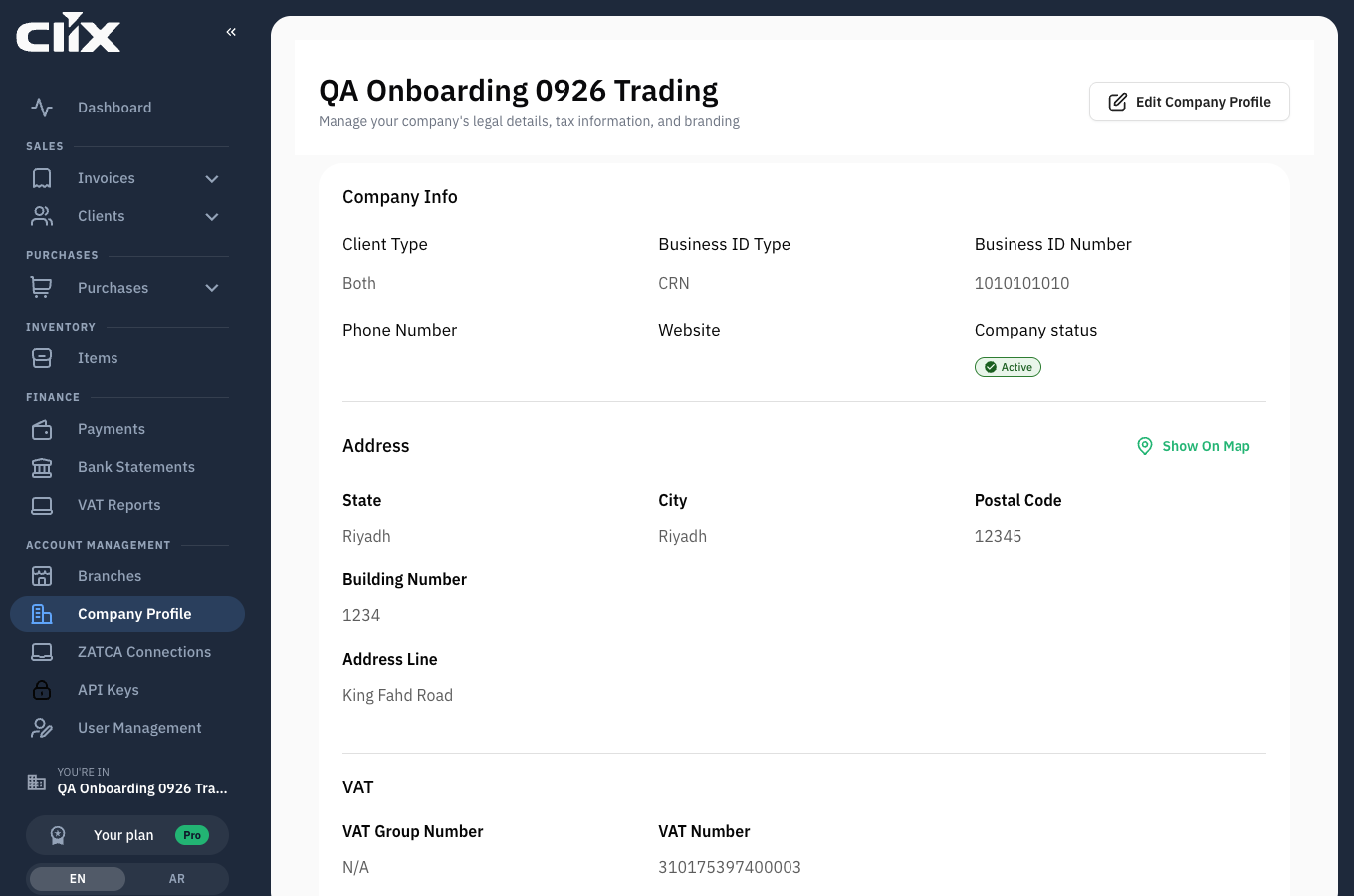
Company Profile holds the seller details printed on every invoice you issue and submitted to ZATCA with it.
Who. Admin only.
What you see
- Logo: appears on invoice PDFs and shared invoice pages.
- Business information: legal name, Arabic name, industry, business ID type and number, who you sell to.
- VAT: your VAT registration number, and whether you are part of a VAT group.
- Address: building number, district, city, postal code — the national address ZATCA requires.
Tasks
Update your details
Who. Admin.
Edit the field and save. Changes apply to invoices issued after the change.
Issued invoices keep their old details
An invoice carries the details it was issued with, permanently. That is deliberate — a cleared invoice is a fixed tax record. Correcting a wrong VAT number on your profile does not correct invoices already issued with it; those need credit notes.
Upload a logo
Who. Admin.
Upload SVG, PNG, JPG or GIF. It appears on invoice PDFs and on shared invoice pages.
Switch organisation
Who. Anyone who belongs to more than one.
The organisation you are working in is named in the sidebar under YOU'RE IN, and again under the dashboard greeting. Use the organisation switcher to change.
Check before you create
The active organisation is held per browser tab. If you work across two businesses in two tabs, confirm the sidebar name before issuing anything — an invoice raised in the wrong organisation has to be credited, not moved.
Belong to more than one organisation
You have one role per organisation, and they need not match: Admin in your own business, Accountant in a client's. An invitation to another organisation arrives by email; accepting it adds it to your switcher without affecting the first.
What lives elsewhere
| You want to change | Go to |
|---|---|
| Who may sign in | Users and roles |
| Locations you invoice from | Branches |
| ZATCA devices and certificates | Devices and certificates |
| Plan and billing | Subscription and billing |